This page provides a technical deep dive into the engineering and operational logic of the SolarFlow 2400 AC+. Understanding these core principles will help you maximise the efficiency of your AC-coupled energy storage system.
¶ How does SolarFlow 2400 AC+ work?
uses a high-speed bi-directional converter to manage the flow of electricity between the grid, your solar panels (via their own microinverters), and the battery.
¶ 1. AC Surplus Capture and Storage (Day Mode)
- Non-Invasive Integration: Compatible with 100% of existing PV Inverters, microinverters, hybrid Inverters or string inverters. It requires no changes to your existing DC strings.
- CT-Driven Monitoring: Using the Zendure Smart Meter (3CT-S / 1CT-S), the system monitors the "Net Metering" status of your home.
- Capture Logic: When the system detects that your rooftop solar is generating more power than the house is consuming (exporting to the grid), it automatically activates its 2400 W charging mode to absorb this excess energy into the LiFePO4 batteries.
- Efficiency: The high-speed bi-directional AC-DC conversion ensures minimal energy loss during the storage process.
¶ 2. Discharge and Peak Management (Night/Peak Mode)
- Activation: Automatic battery discharge occurs when PV generation is insufficient to meet household demand.
- Output Capacity: The rated 2400W output is powerful enough to run energy-intensive appliances such as dishwashers, washing machines, or electric kettles, reducing the need to pull expensive power from the grid.
- EPS (Emergency Power Supply): In the event of a grid failure, the dedicated off-grid port provides 2400VA of power with a rapid 15ms switchover, ensuring essential devices remain online.
¶ 3. Grid Arbitrage (Dynamic Pricing Mode)
AI-driven scheduling based on real-time Time-of-Use (TOU) pricing.
- Off-Peak: Automated charging from the grid during low-price windows.
- Peak: Prioritised release of stored low-cost energy during high-price periods to minimise expenditure.
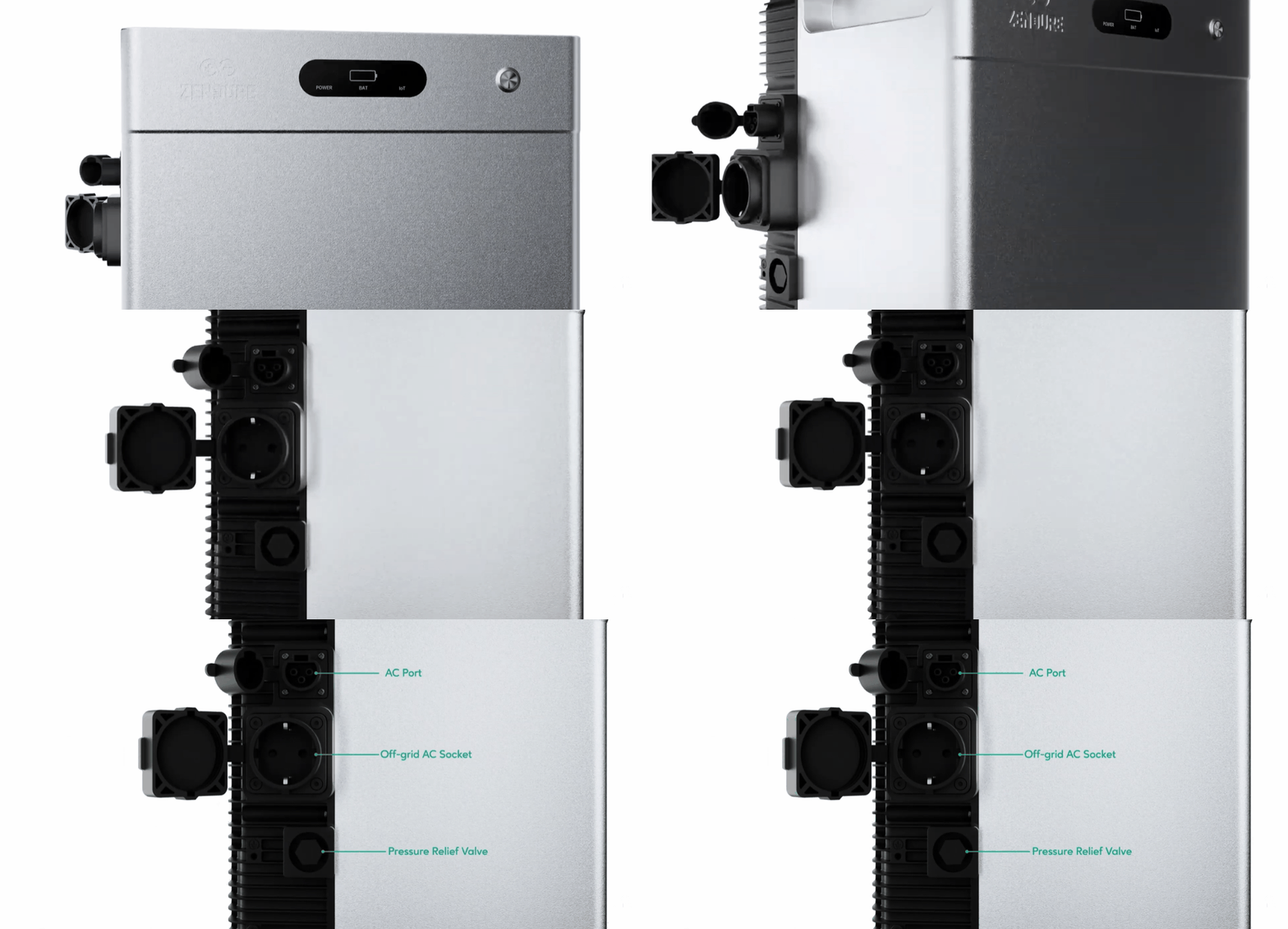
¶ Port
- AC Port: AC input port for connecting to the AC power cable.
- Off-Grid AC Socket: AC socket for mains-independent loads.
- Pressure Relief Valve: Do not touch or loosen! This valve is for safety pressure relief. If loosened, it will affect the product's IP protection rating.
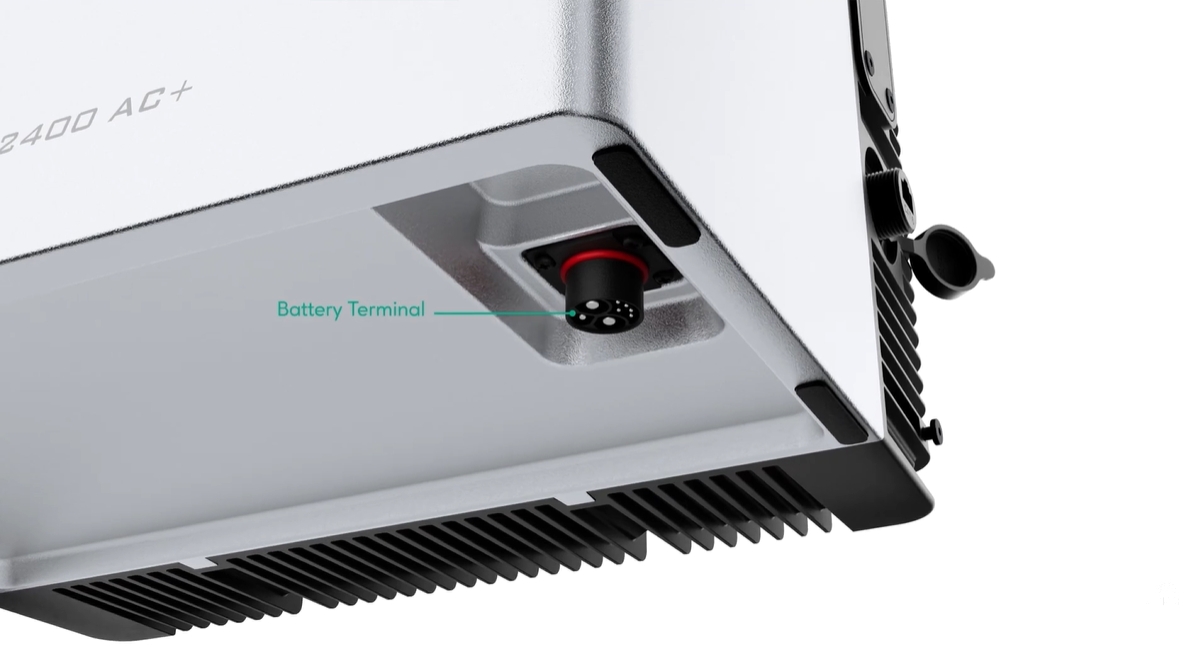
- Battery Terminal: Port for connecting add-on batteries to the system.
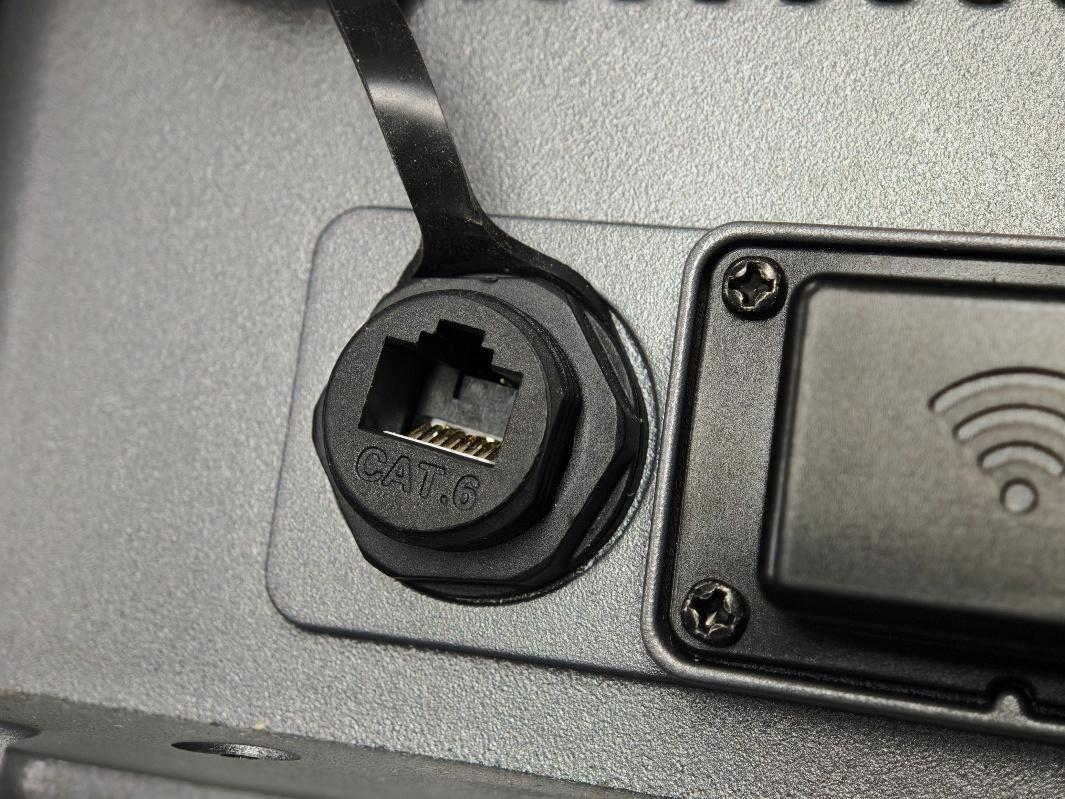
- RJ45 Communication Port: establish a physical connection to smart monitoring devices.
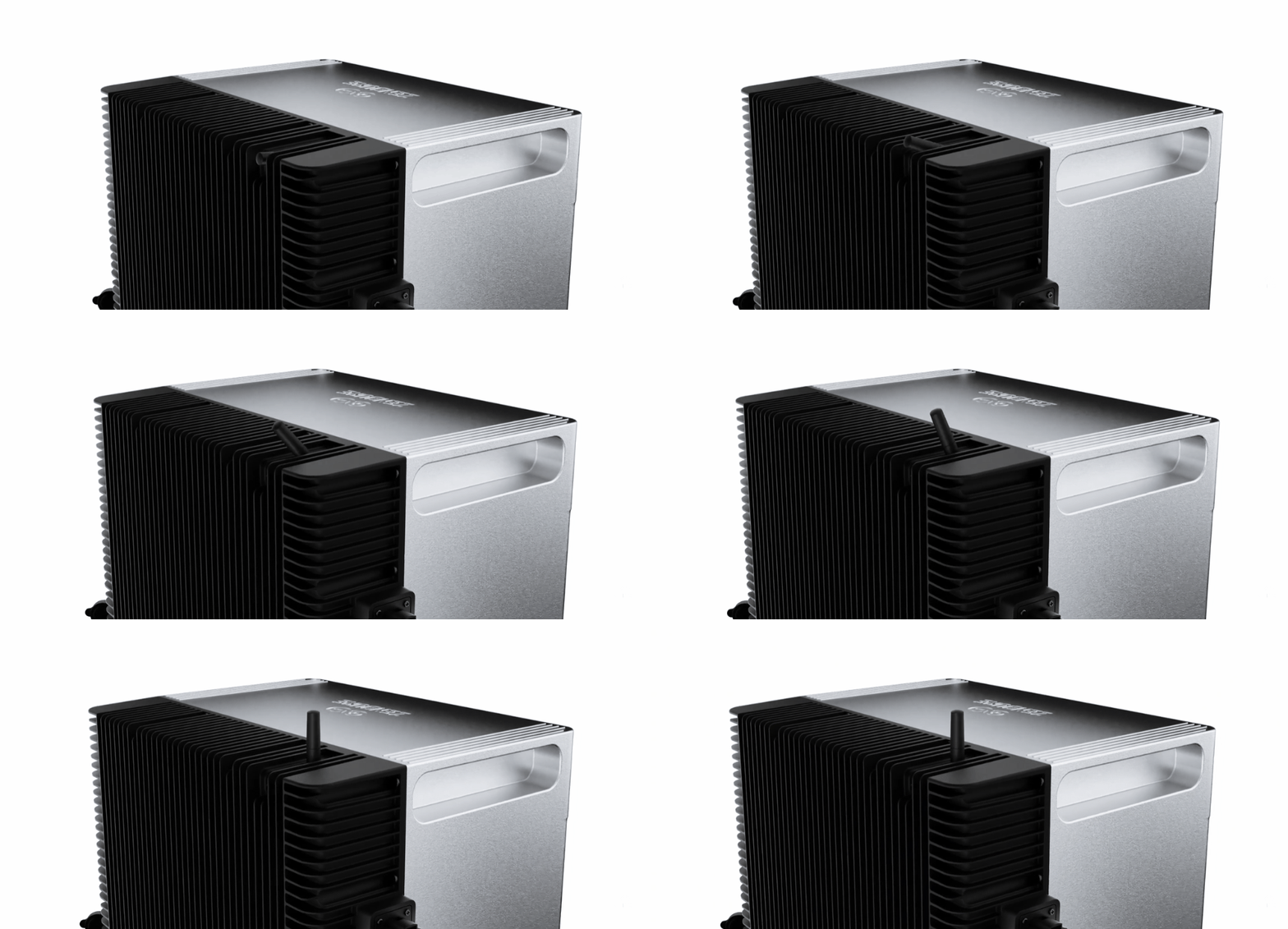
¶ Antenna
Antenna: Wireless communication antenna for system connectivity.
¶ Button
Button: Front control button for basic system controls.
- Press once (powered on): LED indicator lights up to show remaining battery level or other operational statuses.
- Press for 2 seconds: Turns on the SolarFlow 2400 AC+.
- Press for 3 seconds: Resets the Wi-Fi connection.
- Press for 6 seconds: Turns off the SolarFlow 2400 AC+.
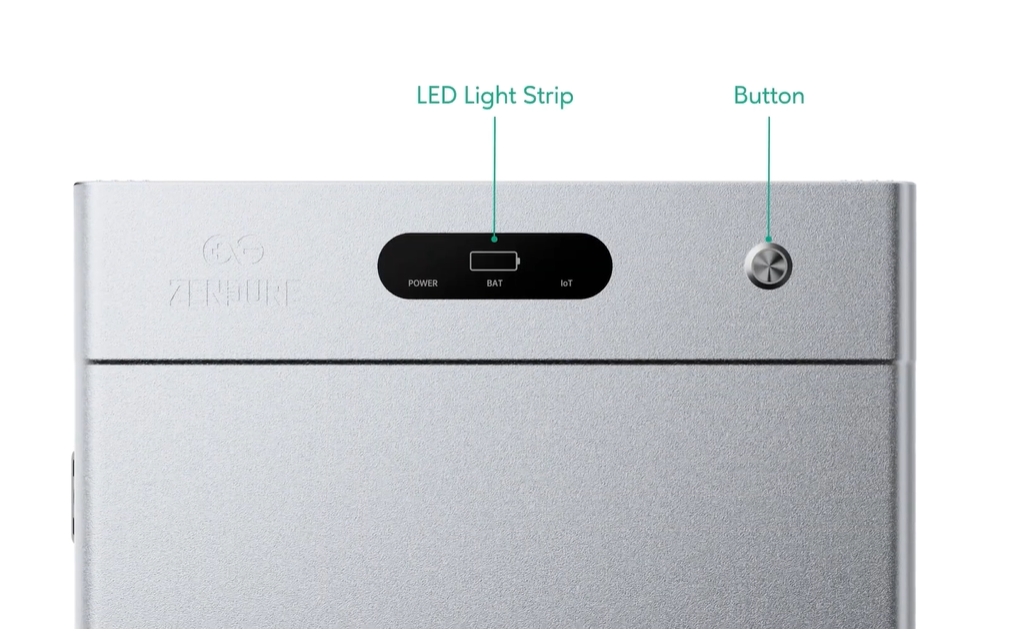
¶ LED Light Strip
LED Light Strip: LED indicators for battery level, output status, and IoT connectivity.
| LED Indicator | LED Description | Detailed Explaination |
 |
Solid Green | powered on and operating normally |
 |
Blinking Green | The device is functioning normally, and the off-grid mode is active. |
 |
Blinking Red | A device error has occurred. Please check the app for further details. |
 |
Solid Green | Stable and normal Wi-Fi connection |
 |
Blinking Green | Waiting to connect to Wi-Fi |
 |
Blinking Red | Wi-Fi connection is lost |
 |
Blinking Yellow | OTA update in progress. |
 |
Solid Green |
Battery is operating normally and connected. Battery status is indicated by 4 green LEDs:
Example: At 60% battery level, three green LEDs will be illuminated. |
 |
Blinking Green | Charging the Battery |
 |
Slow Red Blink on First LED | Battery level below 5% |
 |
Solid Yellow | Indicates the battery level and the battery is in protection mode. |
 |
Solid Red | Battery error detected; check the system for troubleshooting. |
 |
Slow Yellow Blink | Low temperature detected; the battery pack is heating to reach operational temperature. |